Face clear and sharp
Upload a portrait where the subject is large and sharp — face clear, framing that matches the beat. Soft distant shots fight the identity match.
Viral template
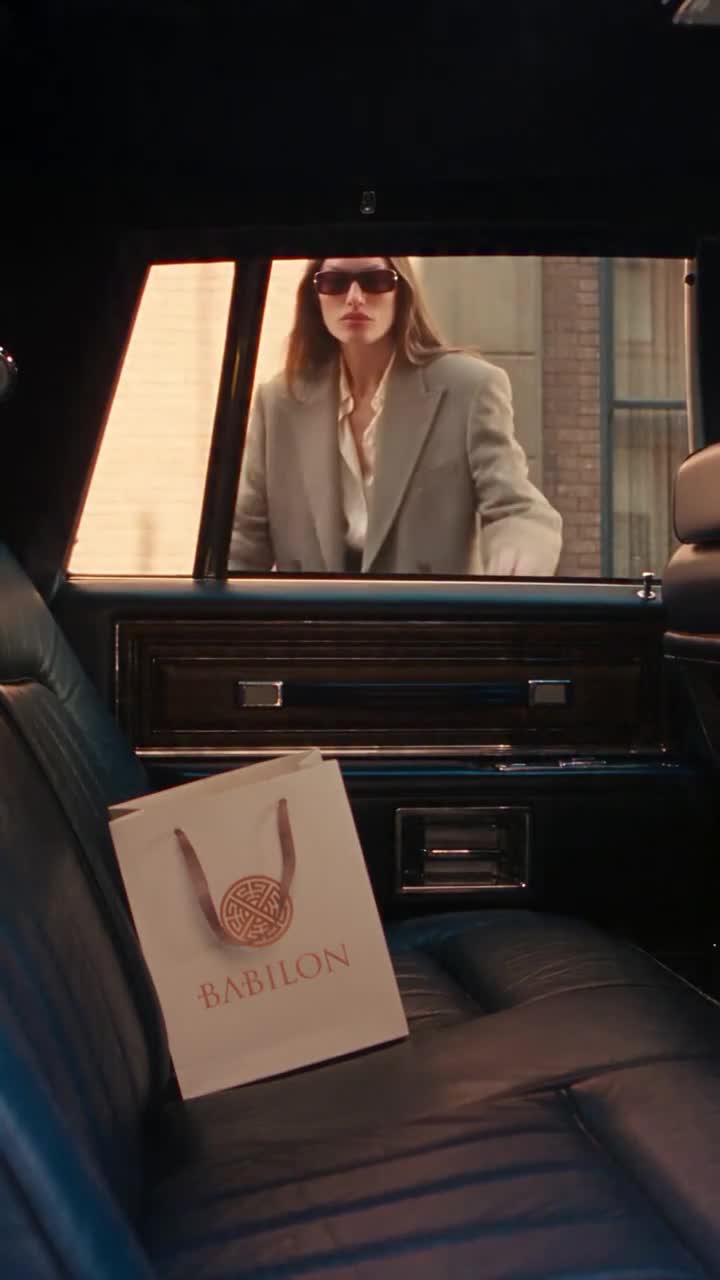
A short pimp-walk entrance: your photo keeps the door-held strut. Genjutsu AI keeps that motion. One still changes the walker.
About 15 seconds
On this page
The panel below is the homepage studio, already on this template. The sample is the pimp-walk entrance motion reference. There is one photo slot for the walker. Credits show on Generate before you spend.
Reference video
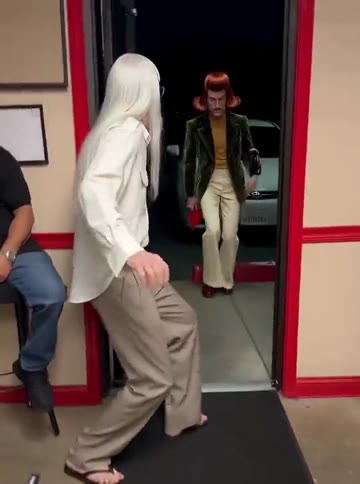
Pimp Walk Entrance AI
15s · 1,140 credits · Seedance 2.5
Pimp Walk Entrance AI is a Genjutsu AI photo-to-video template on genjutsuai.app. The reference clip is about 15: door-held slow low strut entrance. Upload one clear full-body or waist-up photo; Genjutsu AI keeps the sample's door-hold staging, slow strut timing, and camera.
Anyone who wants that pimp-walk entrance with their own face, a friend’s face when that friend already agreed, or a clear portrait that can hold the beat. This page is the template detail; the studio on this page runs the same sample.
The sample holds the pimp-walk entrance motion — door-hold staging, slow strut timing, and camera. A photo changes the subject’s face and look from the still. It does not rebuild the set or the cut timing.
Background
The pimp-walk entrance trend stages a door held open while someone strolls in with a slow, low strut to the viral audio—often a comedic or stylized entrance gag.
MakeViral lists pimpwalk-entrance-ai-trend with posts such as @mrdanielkimchi and @mrmiltonfrost (plays up to about 858k by early November 2026).
This page is an independent photo-to-video remake of that entrance strut. Genjutsu AI is not affiliated with the listed accounts, MakeViral, or CapCut.
How it works
01
This page opens with the Pimp Walk Entrance AI clip already chosen. That file is the motion, the staging, and the length. Watch it above, then leave it in the studio.
02
A photo is optional. With no photo, the template still generates from the sample. Upload one clear full-body or waist-up photo — face clear, sharp and in good light, with permission.
03
Press Generate. The button shows credits for this length and quality first. This run uses system audio overlay because the viral trend audio is not owned by Genjutsu AI. Mute when you want a silent file.
Photo tips
The set, the timing, and the camera are already in the sample. The still only has to show the subject clearly.
Upload a portrait where the subject is large and sharp — face clear, framing that matches the beat. Soft distant shots fight the identity match.
Ordinary daylight or clean indoor light is enough. Soft focus, heavy beauty filters, and extreme HDR fight the match across the cut.
The sample already has the pimp-walk entrance staging. A photo with extra people or clutter makes the model guess who the subject is. Crop to the one person (or pair) you mean.
Use a photo of yourself, or of a friend who already agreed (or a child/pet you have permission for). Skip celebrity stills and grabs from someone else’s story without consent.
Credits
The Generate button shows the credit price before you start. It follows the reference length and the quality you pick. A longer sample costs more, and 1080p costs more than 720p or 480p.
Sample length is the default. If a duration is missing, the studio measures the file, then shows credits. Your own reference video is priced from that file. Clips that are too long are rejected before a job starts.
Leave mute off for a soundtrack from the model, or check mute and add music later. Mute does not change the camera or the timing. A failed job returns the credits.
Use cases
The motion and the timing stay. The look changes.
Upload a clear photo and leave the sample. You get a short clip with the pimp-walk entrance motion and your subject in frame.
One clip per subject who already said yes (or whose owner/guardian said yes). Separate photos keep each face readable.
Run two photos through the same sample when you want to see which still holds the beat. Staging and timing do not change between runs.
Generate with no photo to watch the motion, or to check credits and length. Add a photo on the next run if you want the look to change.
Examples
The player at the top is the Pimp Walk Entrance AI motion reference: door-held slow low strut entrance from one photo, with length left in the sample. Press play to see the timing before you generate.
Other published templates use the same photo-to-video studio. Each one keeps its own sample motion, and you can open it to generate on that template’s page.
A Genjutsu AI photo-to-video template of the door-held slow low strut entrance. The sample locks the motion and the timing. A photo can change the subject in every frame.
No. The clip generates from the template alone. Upload a photo when you want the look to change — with permission for the subject.
The aim is to keep the sample’s door-hold staging, slow strut timing, and camera. A photo changes the subject. It does not rebuild the set or the cut timing.
Look at the Generate button. The shipped sample is about 15. The price follows that length and the quality you pick. A failed job returns the credits.
Yes. This template uses system audio overlay because the viral trend music is not owned by Genjutsu AI. Mute when you want a silent file and you will add a track later.
One clear full-body or waist-up photo, face clear, sharp and in good light: yourself, or a friend with permission. Skip group shots, masks, and tiny distant faces.