Front or three-quarter
Use a front or three-quarter view so the lights, grille, and badge stay readable. A tiny car in a lot, a hard side profile, or a rear bumper gives the model less to match.
Viral template
This viral template turns a photo into a Flying Tesla Roadster video and keeps the sample motion and timing. Photo optional.
About 15 seconds
On this page
The panel below is the homepage studio, already set to Flying Tesla Roadster. Add an optional photo, keep the sample as the motion reference, pick a quality, and press Generate. Credits sit on the button, and mute is there for a silent clip. You can finish on this page.
Reference video
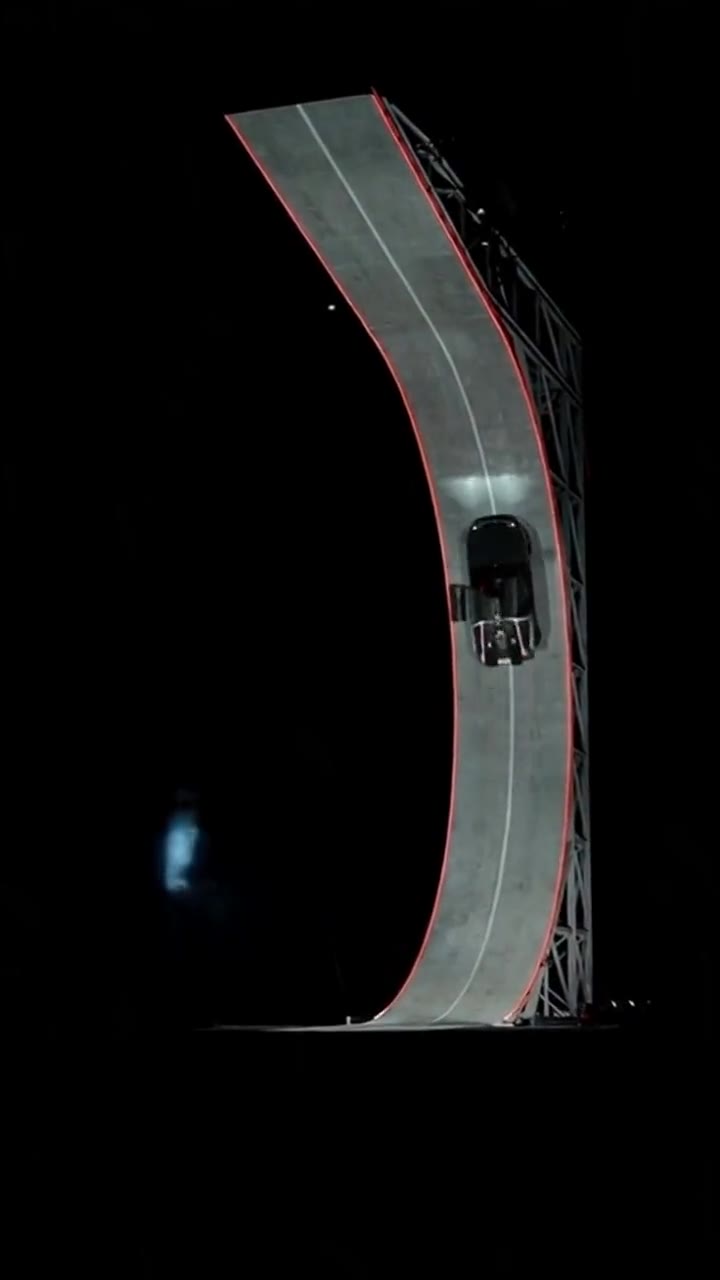
Flying Tesla Roadster
15s · 1,140 credits · Seedance 2.5
Loading preview
Loading preview
Flying Tesla Roadster is a photo-to-video template on Genjutsu AI. The sample locks the flight path, camera, and timing. Add a car photo to put that vehicle in the shot, or skip the upload and render the template on its own.
People who want a Flying Tesla Roadster clip of a car they can show, without filming a new flight. Use it for a flying-car post, a comparison of two angles, or a preview of the sample itself.
The sample is the reference video for Flying Tesla Roadster. Quality changes the resolution, not the flight path. Mute turns the soundtrack off. Replace the sample with your own clip and that file becomes the motion reference, priced by its length.
Background
Flying Tesla Roadster starts from a published sample clip, not a blank prompt. Watch the camera, the flight, and the timing here before you spend a credit. Generation uses that clip as the motion reference.
The sample holds the flight for Flying Tesla Roadster. A photo, if you add one, holds the car. With no photo, the render still follows the sample.
You can swap in your own reference video, and the price follows that file. The result is an AI clip: label it when a platform asks, and only upload photos you have permission to use.
How it works
01
The generator on this page already has Flying Tesla Roadster selected. The sample clip is the motion reference, so the camera path and timing stay with that clip. The credit cost appears on Generate once the length is known.
02
A photo is optional for Flying Tesla Roadster. Skip it and the template still renders from the sample. Upload one to five images of the car that should appear, and confirm you have permission to use them.
03
Press Generate. The button shows the credits for this length and quality. Check mute for a silent clip you will score yourself. The finished video plays in this panel, and a failed job returns the credits.
Photo tips
A clear car photo makes Flying Tesla Roadster easier to follow. The sample keeps the flight, and the still tells the model which car to carry.
Use a front or three-quarter view so the lights, grille, and badge stay readable. A tiny car in a lot, a hard side profile, or a rear bumper gives the model less to match.
Daylight on the body is enough. Skip heavy filters, strong color casts, and night shots where the shape disappears. Brighten a dark photo before you upload.
Crop to the car that should fly in Flying Tesla Roadster. Other vehicles in the frame can be picked up as the subject. For a second car, upload a second photo.
Upload a photo you own or that the owner allowed. Do not pull a car from a listing or a street shot you do not have rights to. Confirm permission when a photo is attached, and label the clip as AI-made when a platform asks.
Credits
The Generate button shows the credit price before you start. It follows the reference length and the quality you pick. A longer sample costs more, and 1080p costs more than 720p or 480p.
Sample length is the default. If a duration is missing, the studio measures the file, then shows credits. Your own reference video is priced from that file. Clips that are too long are rejected before a job starts.
Leave mute off for a soundtrack from the model, or check mute and add music later. Mute does not change the camera or the timing. A failed job returns the credits.
Use cases
Flying Tesla Roadster is a reusable flight. These are the jobs people run once the sample is loaded.
Drop your car into Flying Tesla Roadster and post a short clip. The sample supplies the flight. Say the clip is AI-made.
Run the same flight with two photos when you want to see which angle holds. The camera stays put, so the difference is the car, not a new edit.
Each owner who agreed can get a version from their own photo. One car per photo keeps the subject clear. Do not pull a vehicle from someone else’s listing.
Skip the upload to preview the Flying Tesla Roadster sample, or to check length, quality, and credits. Add a car photo on the next pass.
Examples
The player at the top is the motion reference for Flying Tesla Roadster. Photo-to-video keeps this camera path and timing. An optional photo can change who or what appears, and the same sample is already loaded in the generator above.
Other published templates use the same photo-to-video studio. Each one keeps its own sample motion, and you can open it to generate on that template’s page.
Flying Tesla Roadster is a photo-to-video template. A sample clip locks the flight, camera, and timing. You can optionally upload a car photo so generation uses that vehicle in the frame.
No. You can generate from the template alone. Upload a photo when you want the car in your image to be the one in the flight.
We aim to keep the sample’s camera moves and timing structure, not rewrite the rhythm.
The price is on the Generate button and depends on the reference length and the quality you select. A longer clip costs more. 1080p costs more than 720p or 480p. Failed jobs return the credits. There is no separate fee for leaving the photo empty.
Yes. Check mute when you want a silent clip and your own soundtrack. Leave it off when you want the model to include audio. Mute does not change the motion reference or the timing.
A well-lit front or three-quarter photo of one car, with the lights and grille readable, and permission to use it. Avoid crowded lots, heavy filters, and pictures of vehicles you do not have rights to. You can also skip the upload and generate from the template alone.
No. Flying Tesla Roadster is an AI template. The sample guides motion and timing, and a photo can change who or what appears. Do not present the file as an untouched recording of a real event.
Yes. Clear the template sample and upload a reference video you have rights to. Credits then follow that file’s length. If the file is longer than the studio allows, the panel says so before you generate.