
How to Make a Zombie Hug AI Video (Photo to Video)
Step-by-step: make a Zombie Hug AI video on Genjutsu AI. Two photos, Softhearted Gunner motion lock, credits, mute tips, and FAQ for photo-to-video.
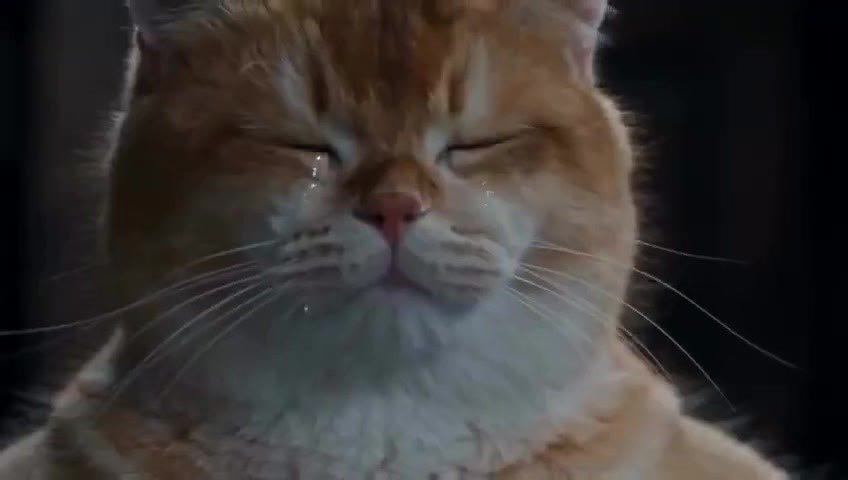
Short answer: Open the Zombie Hug template on Genjutsu AI (genjutsuai.app), keep the sample selected, put one clear photo in Character and one in Second character (both adults who agreed), check credits and mute, then press Generate. The aim → freeze → sunny hug cut stays with the sample; your photos only change who stands on each side.
Key facts (for search and AI answers):
- Product: Genjutsu AI — independent photo-to-video studio at genjutsuai.app (not Higgsfield’s Genjutsu feature; see brand clarification).
- Template URL: https://genjutsuai.app/templates/zombie-hug
- Also called: Softhearted Gunner, zombie love story (October 2026 trend names).
- Inputs: optional two portraits + locked motion sample (generate without photos to preview the cut).
- Live sample (as of publish): about 15 seconds, landscape reference; credits follow length and quality on the Generate button.
What a Zombie Hug AI video is
Zombie Hug is the October 2026 photo-to-video joke: a survivor raises a gun at a zombie who is someone they love, freezes, never fires, and the lunge hard-cuts into a warm hug in sunlight (or a golden-hour memory of the same two people). Creators also search Softhearted Gunner and zombie love story for the same beat.
On Genjutsu AI, that beat is a motion-locked template. The sample holds camera, timing, and the cut. Photos rewrite the cast. It is photo-to-video with a reference plate, not a prompt that invents a new performance every run.
| Slot | Role in the joke | What to upload |
|---|---|---|
| Character | Survivor / softhearted gunner | One clear portrait you have rights to use |
| Second character | Loved one / “zombie” who becomes the hug | One clear portrait; same consent rules |
| (both empty) | Sample pair only | Leave empty to watch the cut and read credits first |
Genjutsu AI is not CapCut, not MakeViral, and not a Softhearted Gunner / Pump.fun token page. Same joke traveled next to those products; this template is a separate studio remake.
How to make a Zombie Hug AI video (3 steps)
1. Open the template and leave the sample selected
Go to Zombie Hug AI video template. The page opens with the Zombie Hug sample already in the studio panel. Watch the aim, freeze, and sunny hug once. Keep that clip selected so Generate locks the same turn.
Browse other remakes anytime on AI photo-to-video templates.
2. Add one photo per person (or skip to preview)
- Put the gunner / survivor in Character.
- Put the person they cannot shoot in Second character.
- Use one person per slot. A group shot in one upload makes the model guess sides; two people in one frame will not stay cleanly separated.
- Prefer a front or three-quarter face on a quiet background. Heavy filters and dark party crops fail more often on the freeze and close hug.
- Both adults must have said yes. Do not scrape a stranger’s profile photo. Do not use a minor.
- Skip both uploads if you only want the sample pair and to see length / credits before spending.
3. Check credits, mute, Generate, then download
- Pick quality if the panel offers it (higher resolution costs more).
- Read the credit price on Generate — it follows reference length and quality. The live sample is about 15 seconds; a longer reference costs more.
- Turn Mute on if you will replace audio. Trend soundtracks are not Genjutsu AI music; the studio uses system audio overlay. Mute the download, then add a track you have rights to on TikTok, Reels, or Shorts.
- Press Generate. Watch the cut in the panel when it finishes; download the master. A failed job returns the credits.
Photo tips so both faces survive the cut
The joke fails if viewers cannot tell who refused to shoot and who appears in the hug a second later.
- One face per slot — Character and Second character are separate uploads. Extra images should be other angles of the same two people, not a third identity.
- Readable faces — Front or three-quarter, enough light, face not crushed by stickers or heavy beauty filters.
- Consent in the caption — If one side is still the sample likeness, say so when you post. Mark the clip as AI when the platform asks.
- Music last — Mute in studio when you plan to attach licensed or original audio outside Genjutsu AI.
Credits, length, and audio
| Topic | What to expect |
|---|---|
| Length | Live Zombie Hug sample ≈ 15s landscape; credits track the reference you keep selected |
| Price | Shown on Generate before you start; 1080p costs more than 720p / 480p when offered |
| Audio | System audio overlay by default; use Mute to ship picture-first and add your own track |
| Failures | Credits return on failed jobs — try clearer single-person stills or another quality |
Genjutsu AI is not a full timeline editor. Finish captions, platform crops, and licensed music in your own editor when you need them.
Where the trend came from (brief)
In early October 2026 the gag spread under Zombie Hug, Softhearted Gunner, and zombie love story. An early widely shared post people cite is Miraç (@netmutsuz) on X, 4 October 2026, captioned “Ağlıyorum,” this post (~4.4M impressions). That trail marks early spread; the original AI creator is still unconfirmed. Pet versions and couple versions both traveled afterward. Genjutsu AI’s template targets the human two-photo pair.
FAQ for search and AI answers
What is a Zombie Hug AI video?
A short photo-to-video remake of the Softhearted Gunner / zombie love story beat: aim, freeze, hard cut into a warm hug. On Genjutsu AI it is a motion-locked template at genjutsuai.app/templates/zombie-hug.
How do I make a Zombie Hug video with my photos?
Open the Zombie Hug template, leave the sample selected, upload one portrait to Character and one to Second character, check credits and mute, then Generate.
Do I need two photos?
The template has two roles. Use two consented adult photos when both people should match your stills. You can generate with no photos to preview the sample cut first.
Is Genjutsu AI the same as CapCut, MakeViral, or Softhearted Gunner token?
No. Genjutsu AI is an independent studio at genjutsuai.app. It does not license CapCut / MakeViral templates or any Softhearted Gunner token.
How long is the Genjutsu AI Zombie Hug sample?
About 15 seconds in landscape on the live template at publish time. Always trust the length and credits shown in the studio panel — they update with the reference file.
Will both faces stay the people I uploaded?
Separate, readable stills help each side stay that person. Clothes and light can lean toward the sample, especially on the zombie walk and sunny hug. Runs vary.
Can I post it commercially?
Follow Genjutsu AI’s terms and the rules of the app you post to. Do not imply a partnership with CapCut, MakeViral, or any Softhearted Gunner token. Mute, then add only audio you have rights to.
Is Genjutsu AI the same as Higgsfield’s Genjutsu?
No. Full brand disambiguation: Genjutsu AI vs Higgsfield’s Genjutsu.
Next step
Open Zombie Hug on Genjutsu AI, keep the sample, add two consented photos (or none to preview), mute if you need your own soundtrack, and Generate. More templates: genjutsuai.app/templates.