Front-facing, head and shoulders
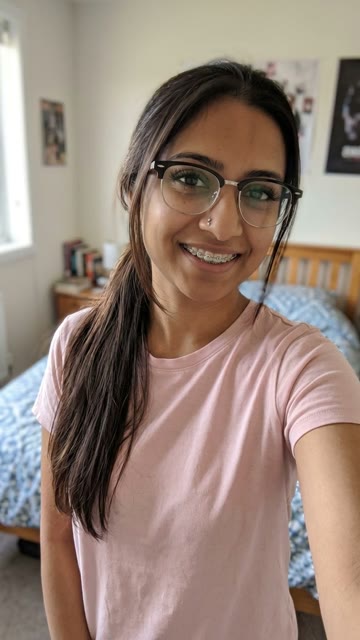
Upload a portrait where the face is large, uncovered, and sharp. Soft profile shots and chin-only crops fight the glasses and braces close-up.
热门模板
A short vertical look reveal: your selfie keeps the same pose, then the edit adds braces, glasses, lashes, or other small upgrades while the face stays you. Genjutsu AI keeps that motion. One still changes the person.
约 5 秒
就在本页
The panel below is the homepage studio, already on this template. The sample is the look-reveal motion reference. There is one photo slot. The export is silent — add a track you have rights to after you download.
参考视频
Le Dije a ChatGPT AI
5 秒 · 380 积分 · Seedance 2.5
Le Dije a ChatGPT AI is a Genjutsu AI photo-to-video template on genjutsuai.app. The reference clip is a short vertical look reveal, about 5 seconds: the same selfie pose holds, then braces, glasses, longer lashes, or other small add-ons land while the face and room stay. One photo changes the person in every shot. Reveal timing, add-on set, and camera stay in the sample.
Anyone who wants that “le dije a ChatGPT que me pusiera esto” look with their own face, or a clear front-facing selfie a friend already agreed to use. There is one photo slot. Group shots and tiny distant faces fight the close reveal.
The sample holds the selfie pose, the braces/glasses/lash add-ons, and the reveal timing. A photo changes the person’s face, hair, skin, and clothes. It does not rebuild the room or the cut length.
背景
“Le dije a ChatGPT que me pusiera esto” (“I told ChatGPT to put this on me”) is a Spanish-language TikTok look trend: you show a selfie, then the looks you asked for, then the AI result of you with glasses, braces, long lashes, blue eyes, or tattoos. Creators also say “le dije a la IA que me pusiera esto” or “I asked ChatGPT to put this on me.”
TikTok @mg8111195 carried a widely remixed take listed around 327k plays on MakeViral’s heat list for the 30 October 2026 Asia/Shanghai ship, with strong cross-posting on X. MakeViral lists the module as le-dije-a-chatgpt-ai-trend. Social TikTok downloads for this Genjutsu AI ship failed after retries (403 / blocked), so the motion sample follows MakeViral’s clean example under standing rule 1c; the public trend leads above still name the origin wave.
This page is an independent photo-to-video remake of that ChatGPT look reveal. Genjutsu AI is not affiliated with @mg8111195, OpenAI, MakeViral, CapCut, or Higgsfield. The sample keeps the motion and the timing. The export is silent because trend music is not licensed here — add a track you have rights to, and say the result is AI when you post it.
如何使用
01
This page opens with the Le Dije a ChatGPT AI clip already chosen. That file is the selfie pose, the add-ons, and the length. Watch it above, then leave it in the panel. Credits appear once the length is known.
02
A photo is optional. With no photo, the template still generates from the sample. Upload one clear front-facing selfie of yourself, or of a friend who already agreed — head and shoulders works best. Skip sunglasses, heavy filters, and extra people in the frame.
03
Press Generate. The button shows credits for this length and quality first. The export is silent. Download the clip and add a track you have rights to. The clip plays in the panel when it is ready. A failed job returns the credits.
照片建议
The pose, the braces/glasses/lash add-ons, and the camera are already in the sample. The still only has to show one clear face.
Upload a portrait where the face is large, uncovered, and sharp. Soft profile shots and chin-only crops fight the glasses and braces close-up.
Ordinary light is enough. Heavy beauty filters, extreme HDR, and neon party gels fight the identity match across the reveal.
The sample already has the braces, glasses, lashes, and reveal timing. A photo with a second person or a busy background makes the model guess whose look changes. Crop to one face.
Use a photo of yourself, or of a friend who already agreed. Skip celebrity stills, kids’ photos, and grabs from someone else’s story without asking.
积分
生成按钮会在开始前显示积分价格。它跟着基准视频的时长和你选的画质走。越长越贵。1080p 比 720p 和 480p 贵。
默认按示例的时长。如果时长还没有,工作台会先量文件,再显示积分。换成你自己的视频,就按那个文件计费。太长的片段会在任务开始前被拒绝。
要模板自带的声音就留着。之后要加自己的音乐就关掉。镜头和节奏不动。失败的任务会退回积分。
用途
The motion and the timing stay. The person changes.
Upload a clear selfie of yourself and leave the sample. You get a short vertical clip with the add-on reveal and your face.
One clip per person who already said yes. Separate photos keep each face readable through the braces and glasses.
Run two photos through the same sample when you want to see which still holds the selfie pose and the add-ons. Timing does not change between runs.
Generate with no photo to watch the reveal motion, or to check credits and length. Add a photo on the next run if you want the look to change.
示例
The player at the top is the Le Dije a ChatGPT AI motion reference: a vertical selfie look reveal with braces, glasses, and lash add-ons left in the sample. Photo-to-video keeps that motion. An optional photo changes the person. The same sample is loaded in the generator, so you can upload and render on this page. The export is silent; add a track you have rights to when you post.
其他已发布的模板用的是同一套照片转视频工作台。每条都有自己的示例片段,在它自己的页面上生成。
A Genjutsu AI photo-to-video template of the “le dije a ChatGPT que me pusiera esto” look reveal. The sample locks the motion and the timing. One photo can change the person in every shot.
No. The reveal clip generates from the template alone. Upload one photo of yourself, or of a friend who already agreed, when you want the look to change.
The aim is to keep the sample’s selfie pose, braces/glasses/lash add-ons, and reveal timing. A photo changes the person. It does not rebuild the room or the cut length.
Look at the Generate button. The shipped sample is about 5 seconds. The price follows that length and the quality you pick. A failed job returns the credits.
Yes. This template exports a silent clip. Add a track you have rights to after you download. The look-reveal motion and timing stay with the sample either way.
One person, face clear, front-facing head and shoulders, sharp and in good light: yourself, or a friend with permission. Skip group shots, sunglasses, and heavy filters.