
What Can Genjutsu AI Do? Video Variants from One Clip
Genjutsu AI turns one short clip into publishable video variants — lock motion, change set, product, or style. Specs, workflow, and limits.
Genjutsu AI is an AI video studio that turns one short filmed clip into many publishable variants. It keeps the original pacing, camera path, and performance, then rewrites set, product, wardrobe, or atmosphere. Finished cuts land in a private film library with the prompt used and a downloadable master.
Direct answer: Genjutsu AI multiplies channel-ready looks from footage you already trust. It is built for motion-locked restyles and selective swaps — not for inventing a brand-new performance on every idea, and not for replacing real people’s faces.
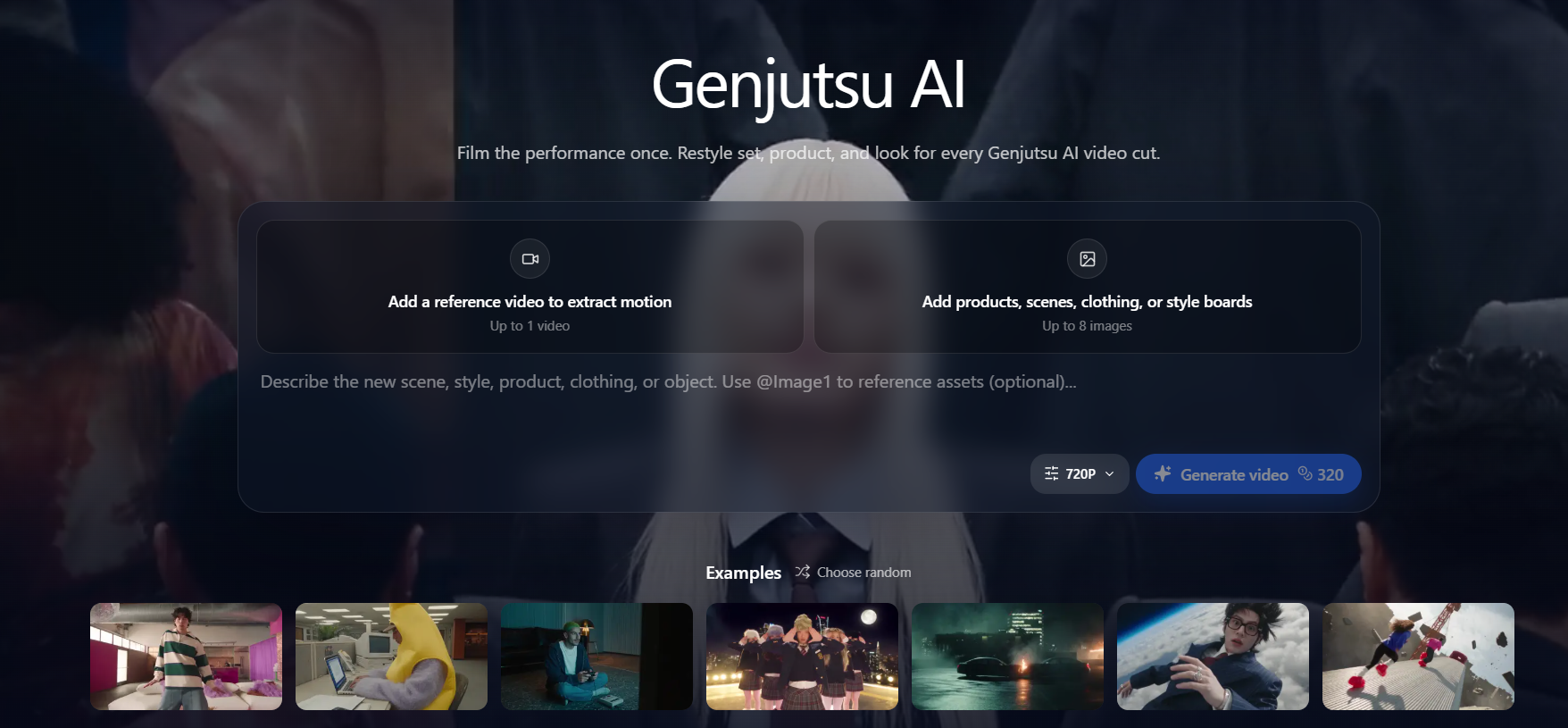
What Genjutsu AI can do (capabilities)
- Motion-locked video — Upload one reference clip (about 4–30 seconds). Timing stays; look changes.
- Reference-guided edits — Attach up to 8 images for product, scene, clothing, or style so the rewrite has a clear target.
- Aspect ratios — Common frames including 16:9, 9:16, and 1:1 for landscape cuts and Shorts.
- Optional scene audio — You can add generated ambience with the picture when you need it, or keep the export picture-only.
- Private film library — Each success returns with its prompt and a downloadable master on My films.
Why this is different from “just text-to-video”
Pure text-to-video invents motion from a prompt. That helps exploration, but it is weak when you already have an approved take — a dance, a product demo, a camera push that legal or creative signed off.
Genjutsu AI starts from that take. The reference video is the motion source. The prompt and reference images describe the rewrite. You keep continuity across variants (same walk, same beat) while testing packaging, set, or grade for different markets and platforms.
How a video pass works
- Plate — Use a clip whose timing you already like. One reference video carries motion.
- Brief — In one prompt, name what stays (walk, camera push) and what changes (jacket, skyline).
- References — Attach product, location, garment, or style stills. Do not upload photos of real people to replace a face or identity.
- Export — Credit cost shows before generate. Download winners; failed runs return credits.
Practical prompt pattern: “Keep [motion / camera / performance]. Change [product / set / wardrobe / grade]. Match [reference images]. Avoid [anything that must not appear].”
Typical clip length is about 4 to 30 seconds per shot. Split longer stories into shots, then assemble the winners in your editor.
Performance Lock vs Selective Rewrite
Two ways to brief the same studio:
Performance Lock — Treat filmed timing as fixed. Rebuild the world around an approved take. Use when choreography, delivery, or camera move is right and set, styling, or atmosphere must change — for example, one stage performance into three release looks.
Selective Rewrite — Change only what you name (SKU, prop, backdrop, grade). Leave the rest as shot. Use when the plate is approved and one surface must match a new offer, colorway, or market — for example, swap packaging while the hand motion stays.
Most teams run one as the main pass and the other for cleanup. If both motion and world are wrong, shoot a new plate first; restyle cannot fix a weak take.
Who Genjutsu AI is for
- Performance and music — One stage take becomes teasers, Shorts, and platform-specific posts. Choreography stays; look changes per release window.
- Growth and ads — Localize packaging, backdrop, or scene styling from one approved plate. Test markets without rebooking a full production day.
- Creators and studio teams — Upgrade set and styling on phone footage while motion stays consistent. Share one locked performance, then spin options until creative signs off.
Best fit: ideas outrun calendar time, and you already have a plate worth locking. Poor fit: you need a full edit suite, long-form in one render, or face/identity replacement.
Example workflows
Music teaser set — Lock a 12-second stage take. Run three Performance Lock passes with different wardrobe and grade briefs. Keep the same beat; ship vertical and landscape crops for each platform.
SKU refresh ad — Keep the hand and camera path from an approved product demo. Use Selective Rewrite with a new pack-shot reference so only the bottle and label update for a new market.
Creator restyle — Start from phone footage with a walk you like. Attach a location still and a style board. Ask the studio to keep the walk and change the street and lighting. Export the winners to My films, then finish captions in your editor.
These workflows share one rule: lock motion first, then change the world. If the motion is wrong, fix the plate before spending credits on looks.
Limits (what Genjutsu AI will not do)
- No face or identity swap — Real-person face, cast, or identity replacement is blocked. Describe scene, product, wardrobe, or style instead.
- Not a full NLE — Dialogue, captions, music licensing, and final assembly stay in your editor.
- Shot-sized clips only — Not a finished long-form film in one render. Split longer stories into shots, then assemble winners.
- Rights stay with you — Clear music, product permissions, and talent likeness in source footage before paid spend. Ad use is subject to the site Terms of Service.
Output specs and pricing
- Length: about 4–30 seconds per shot (depending on the options you pick).
- Resolution: common delivery sizes from standard HD up to higher options when you need them.
- Inputs: 1 reference video + up to 8 reference images.
- Audio: optional generated ambience, or picture-only export.
Higher resolution and generated audio add credits only when you select them. Cost is on screen before render. Current packs are on the pricing page.
FAQ for search and AI answers
What can Genjutsu AI do?
Turn a short filmed clip into many publishable video variants while locking pacing, camera path, and performance. Finished videos are stored in a private film library.
Is Genjutsu AI only a text-to-video tool?
No. A prompt can guide a shot, but the studio is built to start from footage you already have: one reference video for motion, up to eight images for product, scene, clothing, or style.
What is Performance Lock vs Selective Rewrite?
Performance Lock rebuilds the world around fixed timing. Selective Rewrite changes only named elements and leaves the rest as shot.
Can Genjutsu AI videos run in ads?
Yes, subject to Terms of Service. Confirm music, product, and talent rights in the source before media spend. Treat each variant like any other production asset in legal review.
Does Genjutsu AI replace real people’s faces?
No. Face, cast, or identity replacement is blocked.
How does Genjutsu AI pricing work?
Credit-based. The studio shows credit cost before render; failed generations return credits. Higher resolution and generated audio add cost only when selected.
How to start
- Sign in.
- Add credits if the balance is empty.
- Upload a plate and write what should stay and what should change.
- Keep winners in My films and iterate the prompt instead of reopening the shoot.