
What Can Genjutsu AI Do?
What can Genjutsu AI do? Turn one filmed clip into many publishable cuts. Keep the motion, change set, product, or style, and generate stills when a shot needs a new frame.
Genjutsu AI can turn one filmed clip into many publishable video cuts. The pacing, camera path, and performance of the original take stay intact while the set, product, wardrobe styling, or atmosphere changes. The same studio also generates still images from a prompt or a reference picture, then keeps every successful video in a private film library.
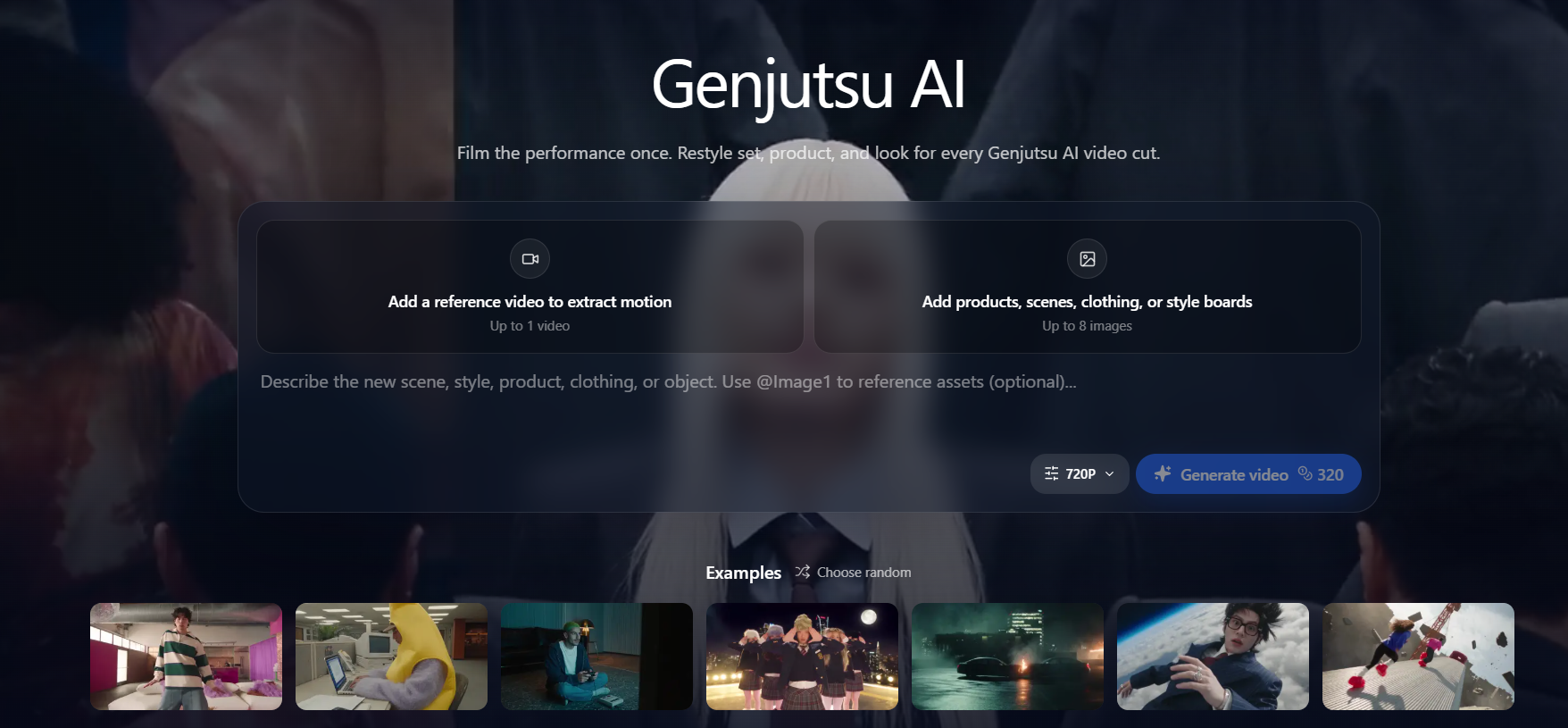
That is the practical answer to what Genjutsu AI can do: multiply channel-ready variants from footage you already trust, instead of inventing a new performance for every idea.
What Genjutsu AI can do with one take
- Motion-locked video cuts. Upload a short plate. The studio reads the timing and builds a new look around it.
- Product, scene, and wardrobe swaps. Attach stills of a SKU, location, garment, or style board, then say what must stay and what can change.
- Vertical and horizontal frames. Seedance 2.5 and MiniMax H3 both cover 16:9, 9:16, 1:1, and other common aspect ratios, so one performance can feed a landscape cut and a Short.
- Optional scene audio. Seedance 2.5 can generate ambience with the picture. MiniMax H3 stays picture-only.
- Stills for the next frame. [Text to image](/text-to-image) and [image to image](/image-to-image) cover frames, pack shots, and style boards before a video pass.
- A private film library. Each successful cut returns with its prompt, model, and a downloadable master on [My films](/my-creations).
Open the [Genjutsu AI video studio](/) when you already have a plate. Compare stills engines on the [models](/models) page if the shot needs a frame first.
How a video pass works
1. Bring the plate. Use a short clip whose timing you already like. One reference video carries the motion. The engines are built for clips of about 4 to 30 seconds.
2. Say what changes. The prompt is the brief: keep the walk and the camera push, change the jacket and the skyline. Name the lock and the edit in the same sentence.
3. Attach references. Add up to eight images for the product, scene, clothing, or style. Do not upload photos of real people to replace a face or an identity.
4. Export the winners. The credit cost is shown before you generate. Preview the results, download the masters, and leave the rejects behind. Failed generations return their credits.
Performance Lock and Selective Rewrite
These are the two ways teams use the same studio.
Performance Lock treats the filmed timing as fixed and rebuilds the scene around it. Use it when the choreography, delivery, or camera move is already approved and the world around that take is what needs to change.
Selective Rewrite changes only the piece you mark — a SKU, a prop, a backdrop, or a grade — and leaves the rest of the plate as shot. Use it when the scene is already right and one surface has to match a new offer, market, or colorway.
- Performance Lock keeps pacing, camera path, and performance; changes set, styling, and atmosphere. Use it when the motion is right and the world is wrong.
- Selective Rewrite keeps everything you do not ask to change; changes a SKU, prop, backdrop, or grade. Use it when the plate is approved and one element must swap.
Most projects pick one pass as the main path and use the other for cleanup.
Stills, when the cut needs a frame first
Video is the core of what Genjutsu AI can do. Stills are there when a shot needs a reference before it moves.
- Text to image starts from a written brief. Models in the studio include FLUX Schnell, Nano Banana Pro, GPT Image 2, and Seedream 5.0 Pro.
- Image to image starts from a picture you upload. How many references a model accepts depends on the engine; the model page states the limit.
- Some image models offer 1K, 2K, or 4K output. FLUX Schnell is the fast text-only option and does not take reference images.
Generate the still, then bring it back as a reference image on the video pass.
Who it is for
Performance and music cuts. One stage take becomes a shelf of looks for teasers, Shorts, and platform-specific posts. The choreography stays. Wardrobe styling, grade, or set can change for each release window.
Growth ads. Localize packaging, backdrop, or scene styling from a single approved plate. Test markets and offers without rebooking a full production day.
Creators and studio teams. Phone footage can take a set and styling upgrade while the motion stays consistent. Studios share one locked performance, then spin options until creative signs off.
If the bottleneck is calendar time rather than ideas, this is the gap the workflow is built for.
What Genjutsu AI will not do
- It will not replace real people's faces, cast, or identity. Prompts that ask for that are blocked. Describe scene, product, wardrobe, or style changes instead.
- It is not a full editing bay. Finish dialogue, captions, music licensing, and the final assembly in the editor you already use.
- It holds shot-sized clips, not a finished long-form film in one render. Seedance 2.5 runs 4 to 30 seconds. MiniMax H3 runs 5 to 15 seconds. Split longer stories into shots, then assemble the winners.
- It does not clear rights for you. Confirm music, product permissions, and talent likeness in the source footage before paid spend. Outputs are allowed in ads subject to the [Terms of Service](/terms-of-service).
Output specs
- Seedance 2.5: 4–30 seconds (or auto); 480p / 720p / 1080p; optional generated ambience; 1 reference video + up to 8 images.
- MiniMax H3: 5–15 seconds; 768P / 2K / 4K; picture only; 1 reference video + up to 8 images.
Higher resolution, and generated audio on Seedance 2.5, add credits only when you select them. The price is on screen before the render. Current packs are on the [pricing](/pricing) page.
FAQ
What can Genjutsu AI do?
Genjutsu AI can turn a short filmed clip into many publishable video variants. Pacing, camera path, and performance stay locked while set, product, wardrobe styling, or atmosphere change. You can also generate stills with text-to-image or image-to-image, then download finished videos from a private film library.
Is Genjutsu AI only a text-to-video tool?
No. A prompt can start a shot, but the studio is built to start from footage or stills you already have. Upload one reference video to carry the motion, and up to eight reference images for a product, scene, clothing, or style board.
What is the difference between Performance Lock and Selective Rewrite?
Performance Lock treats the filmed timing as fixed and rebuilds the scene around that take. Selective Rewrite changes only the pieces you name — a SKU, prop, backdrop, or grade — and leaves the rest of the plate as shot.
Which models does Genjutsu AI use?
Seedance 2.5 covers clips from 4 to 30 seconds, resolutions up to 1080p, common aspect ratios including 9:16 and 16:9, and optional generated audio. MiniMax H3 covers 5 to 15 seconds at 768P, 2K, or 4K. Image models include FLUX Schnell, Nano Banana Pro, GPT Image 2, and Seedream 5.0 Pro.
Can I use Genjutsu AI videos in ads?
Yes, subject to the Terms of Service. Confirm music rights, product permissions, and talent likeness in the source footage before you spend on media. Treat each variant like any other production asset in legal review.
Does Genjutsu AI replace real people's faces?
No. Genjutsu AI is not for replacing faces, cast, or real-person identity. Describe scene, product, wardrobe, or style changes instead. Prompts that ask to swap a person's identity are blocked.
How does Genjutsu AI pricing work?
Generation is credit-based. The studio shows the credit cost before you render, and failed generations return their credits. Higher resolution, and generated audio on Seedance 2.5, add credits only when you select them.
How to start
Sign in, add credits if the balance is empty, then upload a plate or write the change you want. Keep the winners in My films and iterate on the prompt instead of reopening the shoot.